
Customer support becomes a very different problem once a SaaS startup begins to grow. Ten customers can often be managed through personal emails, Slack messages, or a shared inbox. A few hundred customers usually cannot.
Tickets start arriving through different channels. The same questions appear repeatedly. Important cases can sit behind minor requests, while support agents spend too much time searching for account history. Customers may also have to explain the same problem more than once.
This is where Salesforce can become useful.
Salesforce’s customer service platform, now increasingly positioned around Agentforce Service and historically known as Service Cloud, brings customer information, case management, knowledge, automation, reporting, and multiple support channels into one environment.
For a SaaS startup, however, the goal should not be to activate every Salesforce feature available. A better approach is to build a simple, reliable support operation first and introduce automation only where it solves a genuine operational problem.
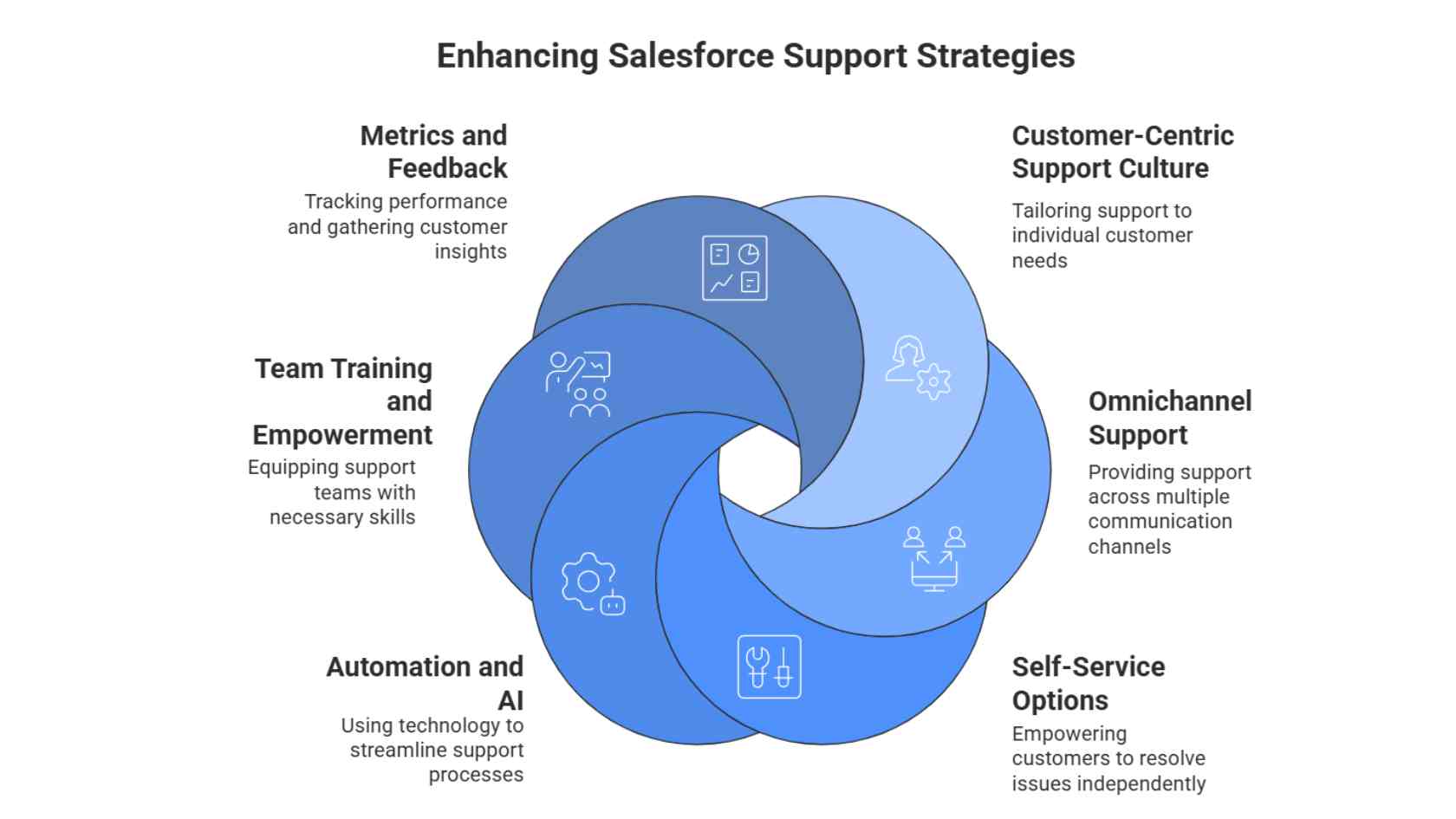
Below are six practical Salesforce support strategies that can help SaaS startups improve customer service without making the support experience unnecessarily complicated.
Why Salesforce-Powered Support Matters for SaaS Startups
Salesforce can act as more than a sales CRM. When configured properly, it can become the operational centre of customer support by bringing together account information, previous interactions, support cases, knowledge resources, and service activity.

That centralised view is particularly useful for SaaS businesses, where customer retention often depends on how quickly and accurately problems are resolved. Support teams that understand the customer’s history can usually provide more relevant answers than teams working from disconnected inboxes and separate systems.
For startups that need additional help configuring or maintaining their Salesforce environment, working with an experienced Salesforce support provider may also be useful, particularly when internal technical resources are limited.
1. Give Support Agents the Right Customer Context
A customer should not have to start from zero every time they contact your support team.
Before responding to a case, an agent should ideally be able to see the information that actually helps them understand the situation. Depending on your SaaS product, this may include:
- Customer account and subscription plan
- Previous support cases
- Recent conversations
- Onboarding status
- Known product issues
- Relevant account notes
- Recent product activity where appropriate
Salesforce service tools can bring case and customer information into a shared workspace, reducing the need for agents to search through several separate systems before replying.
Consider a customer on your highest subscription tier who reports the same integration problem for the second time. Sending another generic troubleshooting checklist can be frustrating if they have already completed those steps. When the agent can see the earlier case, they can acknowledge what has already been attempted and continue from that point.
For smaller SaaS companies, this level of context can become a genuine competitive advantage. You may not have the support headcount of a large software company, but you can still make individual interactions feel informed and personal.
The key is to collect information that helps solve customer problems rather than turning the CRM record into a storage area for unnecessary data.
2. Build Omnichannel Support Without Creating More Chaos
Adding more communication channels does not automatically improve customer service.
A startup may offer email, live chat, phone support, web forms, and social messaging, only to discover that each channel operates through a different inbox. When this happens, nobody has a complete view of the customer conversation.
The objective should be to create one coordinated support operation rather than several disconnected ones.
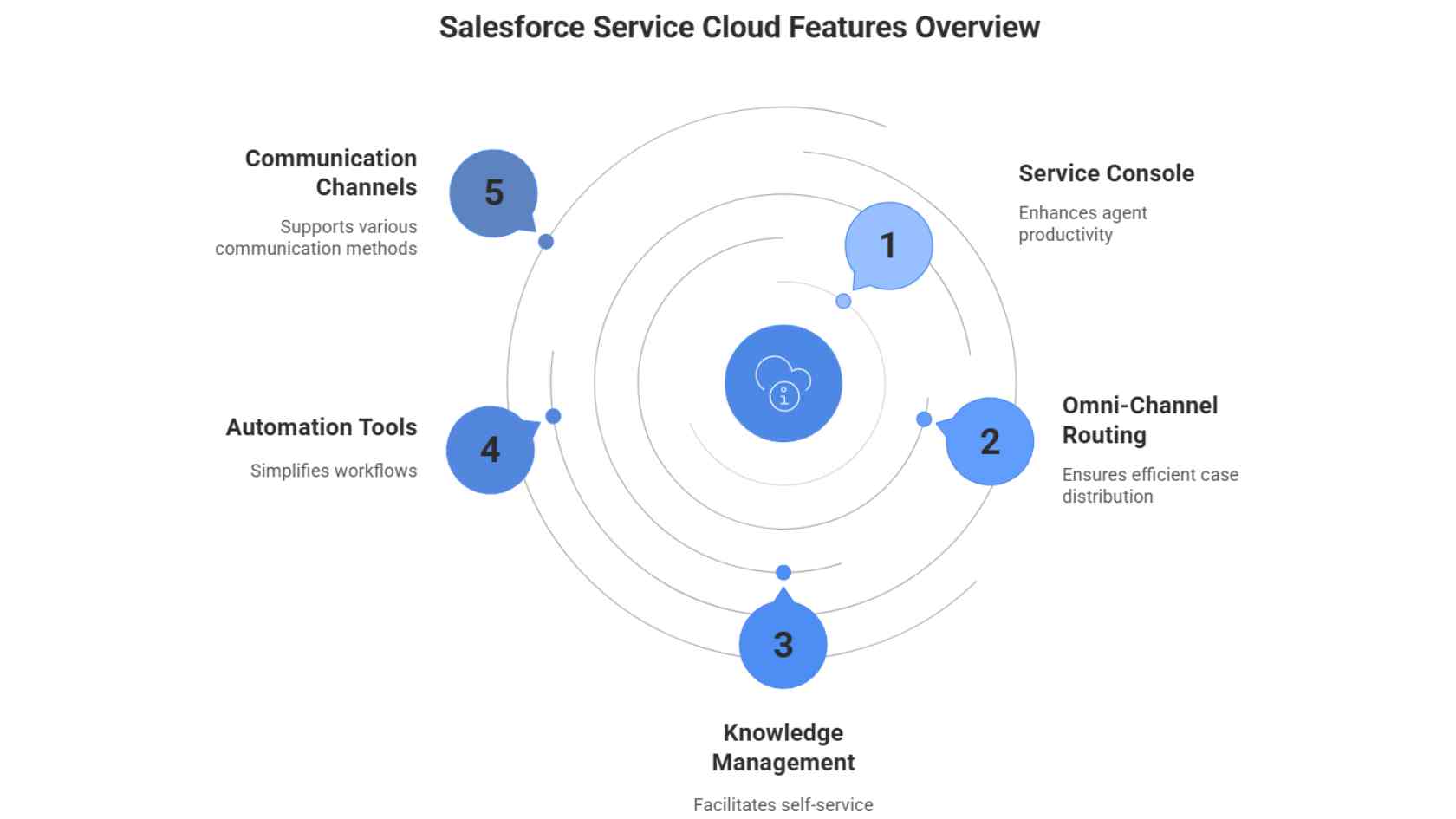
Salesforce Omni-Channel is designed to help route incoming work to appropriate team members based on factors such as availability, skills, capacity, and priority.
A practical support setup for a growing SaaS company could include:
- Email: Best suited to detailed technical issues or cases that require screenshots, logs, or longer explanations.
- Live chat: Useful for short questions, onboarding assistance, and quick troubleshooting.
- Customer portal: Gives users a place to view support cases, access documentation, and find answers independently.
- Phone support: Useful when real-time assistance is justified by the customer plan, issue severity, or product complexity.
Not every startup needs every channel. Start with the channels customers actually use and make sure your team can support them consistently before adding more.
Escalation rules should also be clearly defined. A security concern, billing failure, widespread outage, or major enterprise account issue should not remain in the same workflow as a basic password or account-setting question.
3. Turn Repeated Tickets Into Useful Self-Service Content
Your support queue is one of the most useful sources of ideas for a knowledge base.
If your team answers the same question every week, there is a good chance customers should be able to find that answer without submitting another support ticket.
Salesforce Knowledge can be used to create and manage support documentation that helps both customer service teams and users looking for self-service answers.
Instead of trying to build a massive help centre from the beginning, start with the questions customers already ask most often.
Review your previous 30 to 90 days of support cases and look for recurring questions such as:
- How do I connect an integration?
- Why did my payment fail?
- How do I invite another user?
- Where can I change my subscription?
- What permissions does this feature require?
- How do I export my data?
Create short, focused articles for these questions rather than writing broad documentation that tries to cover every possible scenario.
Then monitor how people use the content.
If an article receives visits but customers still create tickets immediately afterwards, the answer may be incomplete or difficult to follow. If users repeatedly search for a question that has no matching article, you have found a clear documentation gap.
This approach turns your knowledge base into a living support resource instead of a collection of articles that nobody maintains.
It also becomes increasingly important when AI-assisted support tools are introduced. AI systems can provide more reliable answers when they are grounded in accurate, current, and well-structured company documentation.
4. Automate Repetitive Work, Not Customer Judgment
Automation is most useful when it removes work that does not require human judgment.
Depending on your Salesforce setup, workflows and service automation can help with tasks such as:
- Acknowledging new cases
- Categorising incoming tickets
- Setting case priority
- Routing cases to the right team
- Assigning follow-up tasks
- Suggesting relevant knowledge articles
- Updating case fields
- Creating escalation alerts
- Summarising interactions
Salesforce is also continuing to expand its Agentforce capabilities, which combine AI agents, business data, knowledge, automation, and human support workflows.
That does not mean every customer conversation should be handed over to AI.
Some situations still deserve human review, especially:
- Disputed charges
- Account cancellation problems
- Suspected security incidents
- Privacy or data deletion requests
- Unusual technical failures
- Sensitive customer complaints
- Cases where the available information is uncertain
A useful rule is simple: automate predictable steps and provide a clear route to a person whenever judgment is required.
AI-generated answers should also be based on maintained product documentation and verified support knowledge. Allowing automated tools to improvise unsupported product information can create more work rather than reducing it.
For SaaS businesses that also operate within the Salesforce commerce ecosystem, certain ecommerce integrations and custom implementations may require a specialist Salesforce Commerce Cloud Developer. Commerce development should, however, be treated separately from the configuration of your core customer-support workflows.

5. Train the Team on Both Salesforce and Your Product
A sophisticated support platform cannot compensate for a team that does not understand the product it supports.
For a SaaS startup, training should normally cover two different areas: Salesforce skills and product knowledge.
Salesforce Skills
Support team members should understand how to:
- Navigate the service workspace
- Create, update, and manage cases correctly
- Use queues and routing rules
- Find and update knowledge articles
- Document case outcomes
- Escalate complex issues
- Understand the dashboards relevant to their role
Salesforce Trailhead is a useful first-party learning resource for teams that need practical training on Salesforce products and new platform features.
Product Knowledge
This is just as important as knowing how to use Salesforce.
When your SaaS product launches a major feature, changes an existing workflow, fixes a recurring bug, or updates billing behaviour, the support team should know before customers begin asking questions.
A short internal training session after meaningful product releases can prevent hours of confusion later.
It is also useful to maintain an internal record of:
- Known product issues
- Temporary workarounds
- Feature limitations
- Recently fixed bugs
- Common integration problems
- Escalation procedures
The best support agents are not simply good at closing tickets. They understand enough about the product to diagnose what the customer is actually experiencing and know when a problem needs to be escalated.
6. Measure Support Quality Without Chasing Vanity Metrics
A busy support team can appear productive while customers are still receiving poor answers.
Ticket volume alone does not tell you whether your support operation is working.
Successful SaaS startups tend to improve operations by monitoring a small number of meaningful metrics and using the results to make better decisions.
Useful SaaS support metrics can include:
First Response Time
How long does a customer wait before receiving a meaningful first response?
Resolution Time
How long does it usually take to solve the issue rather than simply acknowledge it?
Reopen Rate
How often do cases that were marked as resolved return because the original solution did not work?
Case Backlog
How many unresolved cases are accumulating, and which categories are contributing most to that backlog?
Customer Satisfaction (CSAT)
How do customers rate their support experience after a case is completed?
Escalation Rate
How frequently do cases require another team, specialist, or senior support agent?
Self-Service Effectiveness
Are customers finding useful answers in your documentation, or do they still need to create a ticket after reading an article?
For AI-assisted support, you may also want to measure how often automated interactions genuinely resolve a customer issue and how frequently customers still need to escalate to a human agent.
Salesforce reports and dashboards can help support teams analyse these metrics by channel, agent, issue type, customer segment, or time period.
Avoid blindly copying another company’s response-time benchmark. A developer platform handling complex API failures may need a completely different support model from a simple consumer SaaS application.
Establish your own baseline first and then look for changes over time.
If resolution time is increasing for one type of problem, investigate the cause. If supposedly resolved cases are frequently reopened, improve either the support process or the documentation. If AI-assisted conversations are escalating unusually often, review the knowledge and automation behind them.
Metrics are valuable only when they lead to an improvement.
A Simple 90-Day Salesforce Support Improvement Plan
Trying to rebuild an entire support operation at once can introduce unnecessary complexity. A SaaS startup can usually make better progress by improving the system in stages.
Days 1–30: Understand the Support Queue
- Audit your most common ticket categories
- Document current response and resolution times
- Identify repeated customer questions
- Review escalation problems
- Clean up case fields and ownership rules
Days 31–60: Improve Knowledge and Routing
- Publish or update articles for common issues
- Create sensible case queues
- Configure priority and routing rules
- Remove outdated documentation
- Give agents a consistent way to document case outcomes
Days 61–90: Add Carefully Selected Automation
- Automate repetitive administrative steps
- Introduce relevant knowledge suggestions
- Test AI-assisted workflows on lower-risk use cases first
- Measure customer outcomes rather than automation volume
- Review which tasks still require manual work
After 90 days, you should have enough real support data to decide which Salesforce capabilities are worth expanding and which ones add unnecessary complexity.
Final Thoughts
Salesforce can help a SaaS startup scale customer support, but the software itself is not the strategy.
A reliable support operation still depends on three things: useful customer context, accurate product knowledge, and clear decisions about when automation should or should not take over.
Start with the problems customers actually bring to your team. Build documentation around those problems. Route cases intelligently. Automate repetitive work. Train agents continuously. Then use support data to decide what needs to improve next.
This approach creates a Salesforce support system that can grow with your SaaS business without making the customer experience increasingly automated, disconnected, or impersonal.