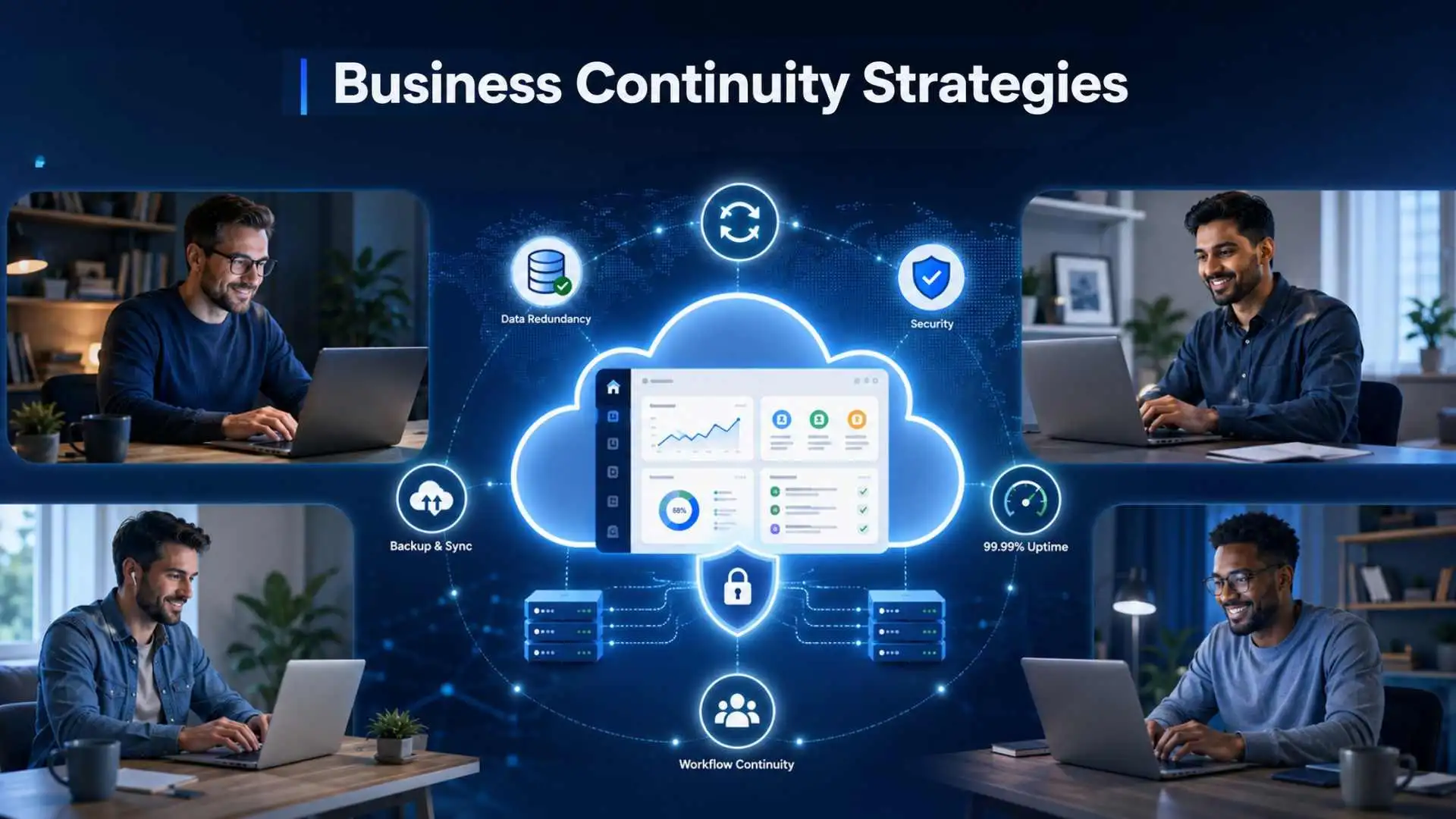
A cloud outage, ransomware attack, failed software update, regional power loss, or unavailable vendor can interrupt a digital business within minutes. For a SaaS company, the effects may reach far beyond an internal inconvenience: customers can lose access to the product, support teams can become overwhelmed, and revenue-generating processes can stop.
The financial exposure is significant. In its Annual Outage Analysis 2026, Uptime Institute reports that 57% of respondents whose organizations experienced a major outage said their most recent incident cost more than $100,000. One in five said their most recent impactful outage cost more than $1 million.
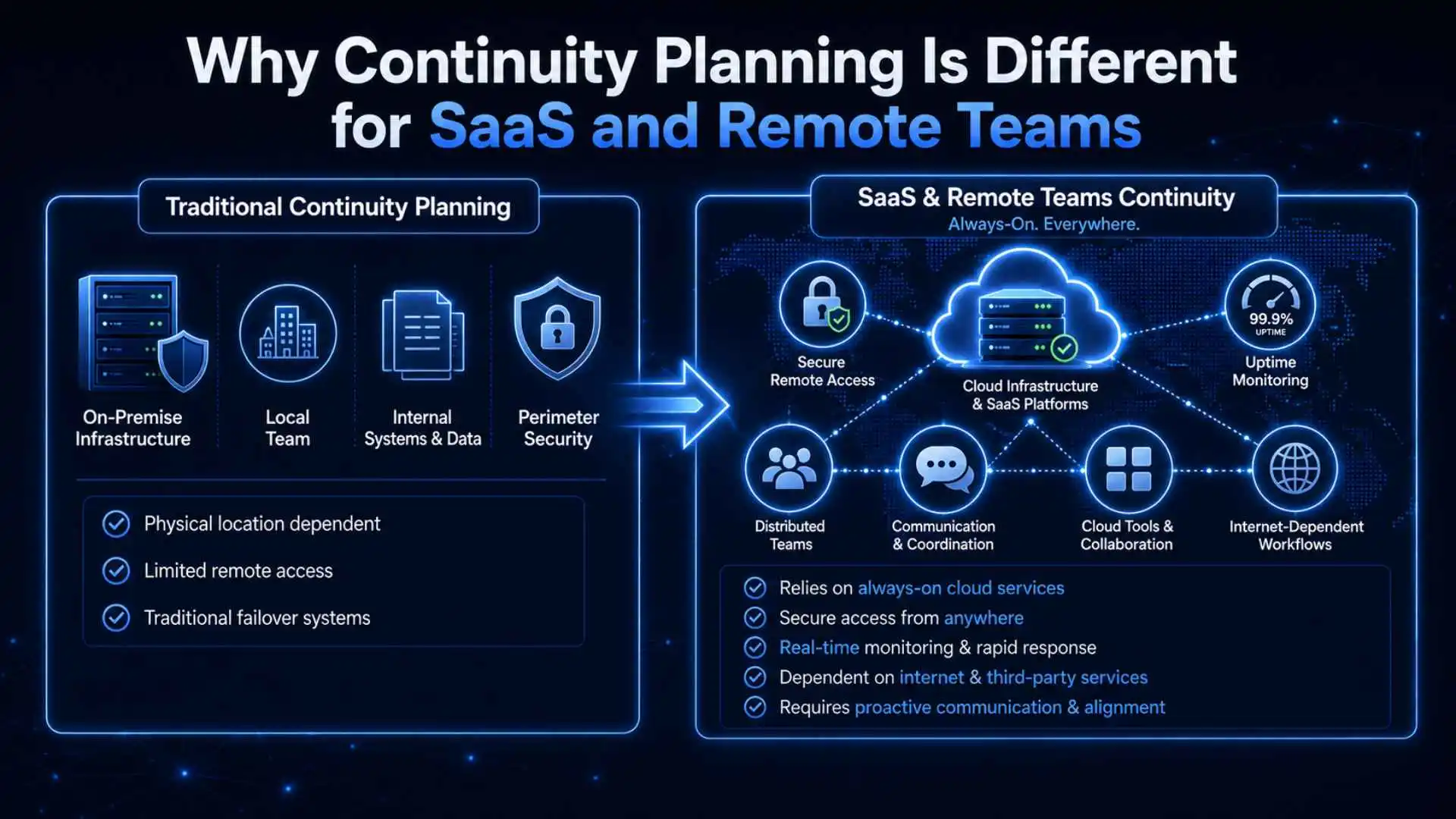
SaaS and remote-first organizations face a distinct continuity challenge. Their operations depend on cloud infrastructure, distributed employees, identity providers, communication platforms, payment services, and other external systems. A useful plan must therefore protect the full service chain—not only an office, server, or database.
This guide explains practical business continuity strategies for SaaS and remote teams, clarifies how business continuity differs from disaster recovery and incident response, and provides a checklist for building a plan that can be tested and improved.
What Are Business Continuity Strategies?
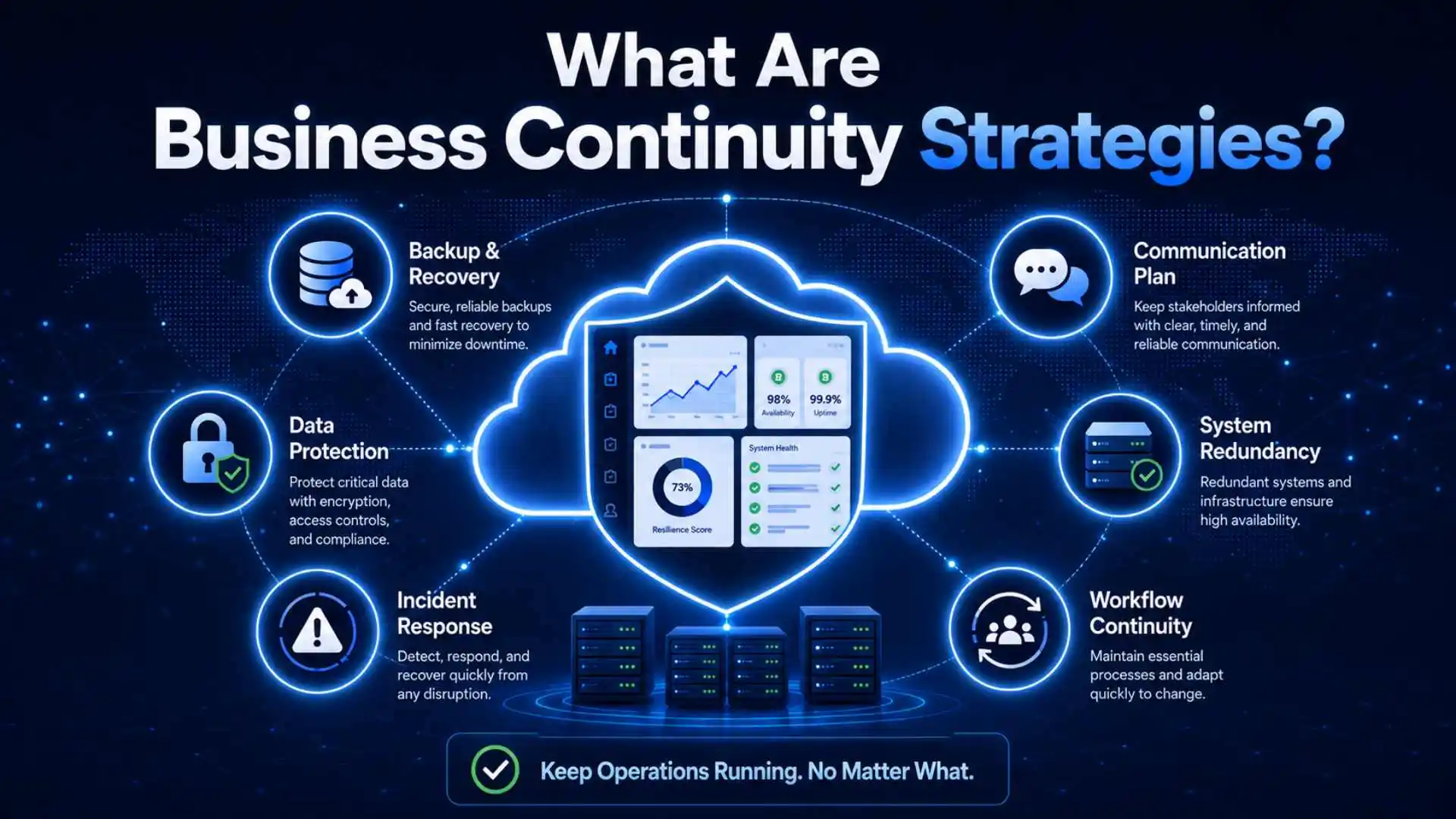
Business continuity strategies are the people, processes, facilities, and technologies an organization uses to keep its most important operations running at an acceptable level during a disruption. They also guide the return to normal operations. The goal is not to prevent every incident; it is to reduce avoidable harm and give the organization a controlled way to respond.
A practical business continuity plan should help an organization:
- Identify its critical products, services, and supporting dependencies.
- Set priorities and acceptable recovery timeframes.
- Protect people, data, systems, and essential workflows.
- Assign decision-making authority before an incident occurs.
- Communicate with employees, customers, vendors, and other stakeholders.
- Restore disrupted services in a safe, coordinated order.
Technology is only one part of the plan. A technically sound recovery can still fail if employees do not know who is in charge, customer messages are delayed, or an overlooked vendor prevents users from signing in.
Business Continuity vs. Disaster Recovery vs. Incident Response
These disciplines support one another, but they are not interchangeable. Business continuity has the broadest scope. An IT disaster recovery plan focuses on restoring technology and data, while incident response addresses cybersecurity incidents through preparation, detection, response, and recovery activities.
| Discipline | Primary Purpose | Typical Scope | SaaS Example |
|---|---|---|---|
| Business continuity | Keep critical business services operating during a disruption. | People, processes, facilities, technology, vendors, and communications. | Support agents use a backup channel while customers receive updates through an independent status page. |
| Disaster recovery | Restore IT systems, applications, infrastructure, and data. | Backups, replication, failover, restoration, and technical recovery. | Engineers restore a customer database and validate the recovered data. |
| Incident response | Manage and limit the effects of a cybersecurity incident. | Analysis, containment, eradication, recovery, evidence, and lessons learned. | The security team isolates compromised accounts and contains a ransomware infection. |
Disaster recovery and incident response can both operate within a wider business continuity program. For example, a ransomware event may trigger the incident response plan, require disaster recovery procedures, and force business teams to use temporary continuity arrangements at the same time.
Why Continuity Planning Is Different for SaaS and Remote Teams
Complex Service Dependencies
A SaaS product can appear healthy while a critical supporting service is unavailable. An authentication outage may block logins; a payment failure may stop new subscriptions; a DNS or connectivity problem may make the application unreachable. Teams need to understand the entire path required to deliver the service.
Concentration Risk
Using one cloud platform can simplify operations, but it can also concentrate risk. Simply calling an architecture “multi-region” does not make it resilient if every region depends on the same control plane, identity service, or deployment process. Redundancy must be designed around credible failure scenarios and tested under realistic conditions.
Distributed Coordination
Remote employees may be working across time zones and relying on the same email, identity, and collaboration systems. If one of those systems fails, the response team still needs an independent way to receive instructions, confirm decisions, and communicate securely.
Customer Data and Availability
For many SaaS companies, the product and the customer data within it are inseparable. Loss of availability can interrupt customer operations, while data loss or unauthorized access can create contractual, regulatory, and reputational consequences. Continuity planning must address availability, integrity, confidentiality, and recoverability together.
Core Business Continuity Strategies
1. Conduct a Risk Assessment and Business Impact Analysis
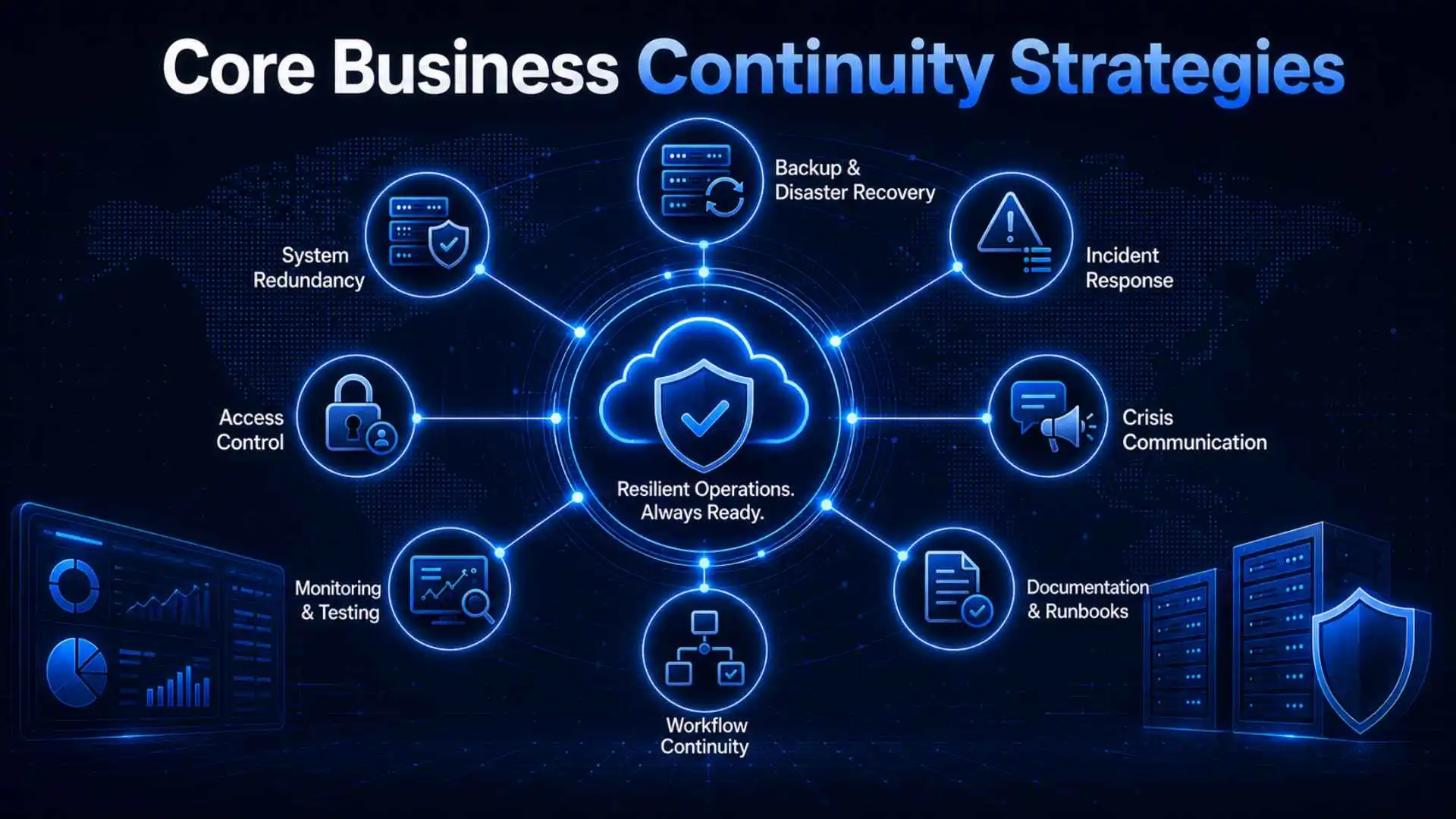
Start by identifying realistic threats and the business services they could affect. Consider cyber incidents, cloud and network outages, data corruption, unavailable staff, regional emergencies, vendor failures, and accidental changes. A risk assessment helps the organization estimate likelihood and impact; it should not be confused with a list of technical assets.
Next, complete a Business Impact Analysis (BIA). For each critical service or process, document:
- The customers and business functions that depend on it.
- Financial, operational, legal, contractual, and reputational effects of disruption.
- Upstream and downstream systems, vendors, data, and people.
- Minimum staffing and resources required to operate.
- Manual workarounds or temporary service levels, where feasible.
- The point at which the impact becomes unacceptable.
The BIA should lead to measurable recovery targets. A Recovery Time Objective (RTO) sets the target timeframe for restoring a system or service before the disruption causes unacceptable harm. A Recovery Point Objective (RPO) identifies the point in time to which data must be recovered after an outage. In practical terms, an RPO of 15 minutes means the recovery design should limit potential data loss to approximately 15 minutes of changes.
Do not assign the same RTO and RPO to every system. A customer-facing production database may need tighter targets than an internal analytics dashboard. The selected targets should reflect business impact and be achievable with the available architecture, staffing, and budget.
2. Build Recoverable Backups and Purposeful Redundancy
Backups are essential, but having backup files is not the same as being able to recover. Define what is backed up, how often copies are created, who can access them, how long they are retained, and how restoration will be validated. CISA recommends the 3-2-1 backup approach: keep three copies of important data, use two types of storage media, and maintain one copy off-site.
For a SaaS environment, strengthen that baseline with:
- Automated, monitored backup jobs and alerts for failed or incomplete copies.
- Immutable or otherwise protected backups that ordinary production credentials cannot alter.
- Encryption in transit and at rest, with recoverable key-management procedures.
- Separate administrative access and strong authentication for backup systems.
- Documented restoration steps and regular recovery tests.
- Replication or failover designed around the organization’s approved RTO and RPO.
Replication supports availability, but it does not replace backups: corruption or malicious changes can be replicated too. Similarly, a second region is valuable only if the application can switch to it and the team has tested the process.
3. Define Crisis Leadership and Communication
Here’s something that catches a lot of teams off guard: the technical problem is often not what makes an outage painful. Confused, contradictory, or silent communication is what does.
A solid plan spells out who gets to declare an incident, who’s actually running the response, which channels the internal team uses when the usual ones are down, how and when customers get notified, and who handles anything that reaches the media. It helps enormously if employees already know where to look for instructions when email or Slack is the thing that’s broken.
On the customer side, a short, honest status update beats silence every time — it cuts down on support volume and keeps trust intact even while things are visibly not okay. Drafting message templates in advance, for planned maintenance, unplanned outages, security incidents, and the eventual “we’re back” update, means nobody’s writing customer-facing copy for the first time in the middle of a crisis.
4. Map Vendors and Third-Party Dependencies
Cloud hosting, identity, payments, customer support, DNS, code repositories, observability, and communications may all be outside the organization’s direct control. NIST guidance on cybersecurity supply chain risk management emphasizes identifying, assessing, and managing risks associated with products and services throughout the supply chain.
Create a dependency map that connects each critical business service to its vendors and internal owners. Record:
- The service provided and the workflows that rely on it.
- Support contacts, escalation routes, and account ownership.
- Service-level commitments and contractual notification terms.
- Data access, storage locations, and exit or export procedures.
- Known concentration risks and shared dependencies.
- A workaround, alternate supplier, or documented acceptance of the risk.
Review the map whenever the architecture or vendor portfolio changes. A substitute that exists only on paper is not a reliable contingency; confirm that required accounts, contracts, integrations, and operating instructions are ready before they are needed.
5. Secure Remote and Emergency Access
Remote continuity depends on access that remains both available and secure. Require multi-factor authentication (MFA) for business accounts, prioritizing phishing-resistant methods for privileged and high-risk users where supported. Use managed devices, endpoint protection, timely patching, least-privilege access, and secure remote-access methods appropriate to the organization’s environment.
Document how essential personnel will work if a laptop, internet connection, office, identity provider, or primary region is unavailable. Include procedures for lost devices, temporary equipment, emergency access accounts, and the secure onboarding of replacement staff. “Break-glass” access should be tightly controlled, logged, tested, and reviewed after use.
6. Create Operational Runbooks
A high-level plan states what the organization intends to do; a runbook tells the responder how to do it. Create short, role-based runbooks for the most important scenarios, such as a regional cloud failure, corrupted database, compromised administrator account, unavailable identity provider, or loss of the primary communication platform.
Each runbook should include activation criteria, prerequisites, responsible roles, ordered actions, validation checks, communication points, rollback conditions, and escalation paths. Store controlled copies in a location responders can reach during the scenario the runbook addresses.
7. Test, Learn, and Maintain the Plan
A plan that has never been exercised is a collection of assumptions. Use a mix of discussion-based tabletop exercises and technical tests. CISA provides tabletop exercise resources that organizations can adapt to different threats and sectors.
A mature test program may include:
- Tabletop exercises for executives, operations, security, legal, support, and communications teams.
- Backup restoration tests that verify data integrity and actual recovery time.
- Failover and rollback exercises conducted within controlled limits.
- Emergency-notification drills and out-of-band communication tests.
- Vendor outage scenarios that expose hidden dependencies.
After each exercise or real incident, record what happened, which assumptions failed, who owns each corrective action, and when the work is due. Review the plan after major architecture, vendor, staffing, regulatory, or business-process changes—not only on an annual calendar date.
Business Continuity Software and Tools
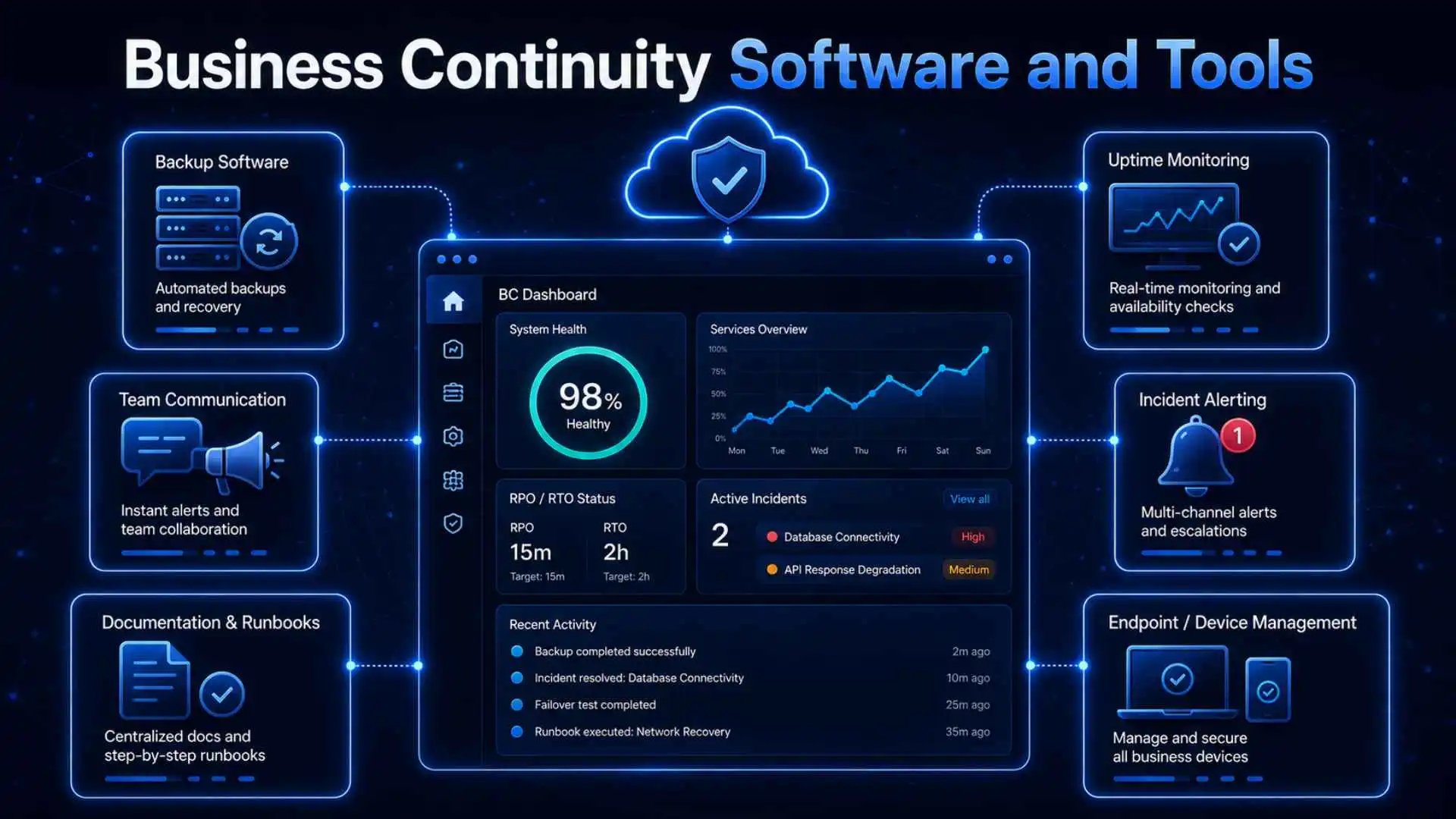
Tools support a continuity program, but they do not replace ownership, documentation, or testing. Select products based on the approved recovery design and the systems already in use.
| Capability | What It Supports | Example Products |
|---|---|---|
| Backup and recovery | Protected copies, retention, restoration, and recovery orchestration. | Veeam, Acronis |
| Incident coordination | Alerts, on-call escalation, response workflows, and status communication. | PagerDuty, Atlassian Statuspage |
| Identity and access | Authentication, access policies, and controlled emergency access. | Microsoft Entra ID, Okta |
| Task and runbook management | Recovery assignments, approvals, documentation, and audit trails. | Jira Service Management, Asana |
| Monitoring and observability | Detection of availability, performance, and dependency problems. | Datadog, UptimeRobot |
Before purchasing a tool, check integration requirements, access controls, reporting, data residency, scalability, support arrangements, and how the product behaves when another critical service is unavailable. Product examples are illustrative; suitability depends on the organization’s architecture, obligations, and risk profile.
Practical Business Continuity Checklist
Governance and Priorities
- Assign a plan owner and executive sponsor.
- Identify critical products, services, and business processes.
- Complete a BIA and approve realistic RTOs and RPOs.
- Define incident authority, roles, alternates, and escalation paths.
Technology and Data
- Monitor backup completion and test restoration.
- Protect backup systems from production-account compromise.
- Identify single points of failure and shared dependencies.
- Test failover, recovery, rollback, and data-integrity checks.
People and Communication
- Maintain secure emergency contact information.
- Provide an out-of-band communication method.
- Prepare internal and customer message templates.
- Train employees on their roles and reporting procedures.
Vendors and Maintenance
- Map critical vendors to the services they support.
- Document vendor escalation routes and recovery commitments.
- Assign and track improvements after tests and incidents.
- Update the plan after material business or technology changes.
Common Business Continuity Mistakes
Treating the Plan as a One-Time Document
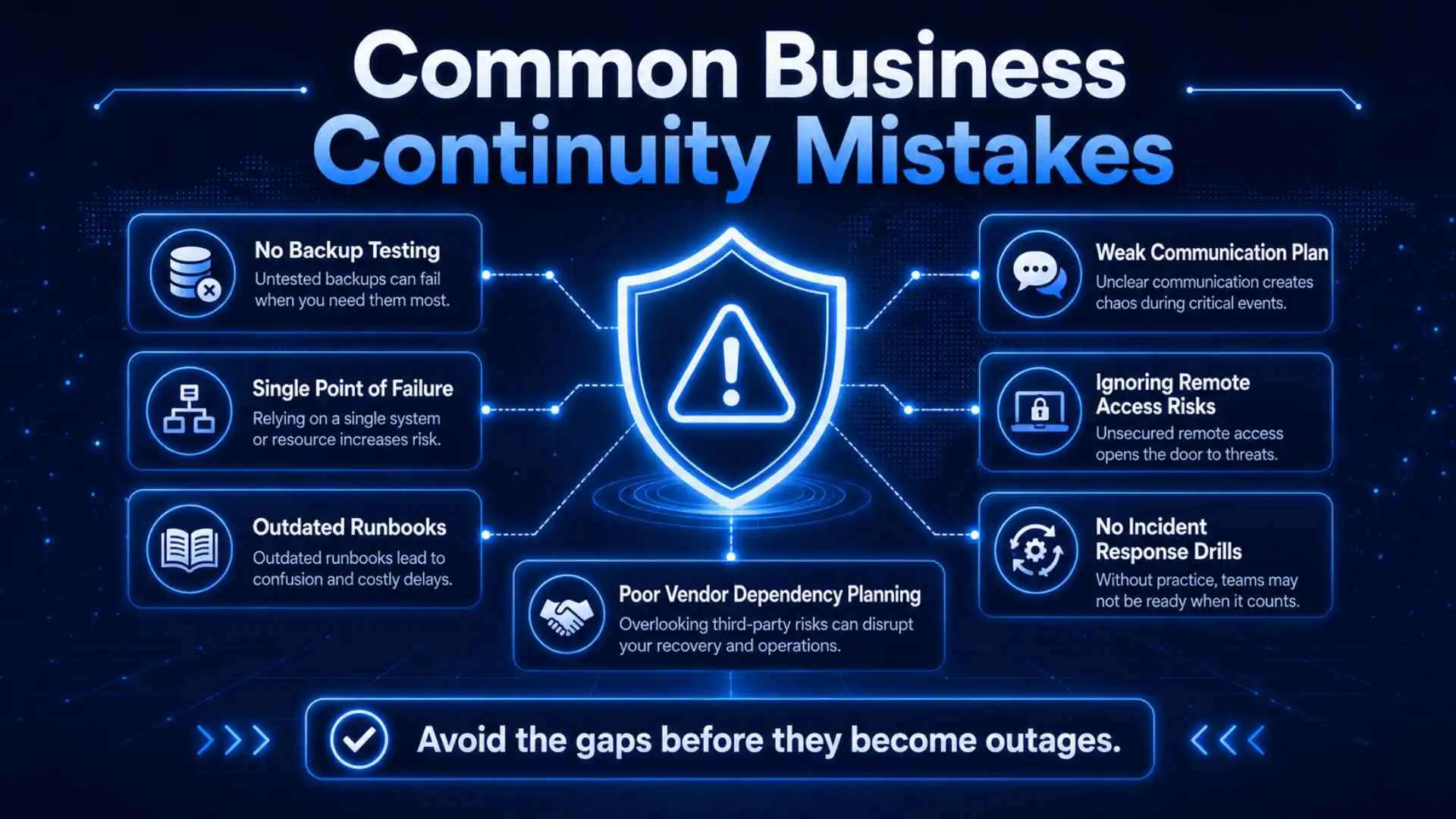
People, vendors, systems, and customer expectations change. An outdated contact list or obsolete recovery step can turn a manageable incident into a longer outage.
Confusing Replication with Backup
Replication can improve availability, but it may copy corrupted or malicious changes. Maintain protected, recoverable backups and test them independently.
Designing Only for Infrastructure Failure
A healthy application stack is not useful if employees cannot authenticate, customers cannot pay, or responders cannot communicate. Test complete business services and their dependencies.
Setting Targets Without Funding the Design
An aggressive RTO or RPO may require additional infrastructure, automation, staffing, or vendor support. Approve targets alongside the resources needed to achieve them.
Testing Components but Not the Full Recovery
A successful database restore does not prove that the application can serve customers. End-to-end exercises should validate access, data integrity, integrations, communications, and the return to normal operations.
Also Read: Signs Your Business Needs Professional Financial Guidance
Frequently Asked Questions
What are business continuity strategies?
They are coordinated measures that help an organization maintain critical services during a disruption and restore normal operations in a controlled manner. They cover people, processes, technology, facilities, vendors, data, and communications.
What is the difference between business continuity and disaster recovery?
Business continuity addresses how the organization will keep essential operations running. Disaster recovery is the technology-focused part concerned with restoring systems, applications, infrastructure, and data.
How often should a business continuity plan be tested?
Testing frequency should reflect risk and the importance of each service. At minimum, organizations commonly conduct a full review each year, while high-impact recovery procedures may need more frequent testing. Re-test after significant changes or incidents.
Do small SaaS companies need a continuity plan?
Yes. A smaller company may begin with a concise plan covering its most critical service, backups, key vendors, decision-makers, communication methods, and recovery steps. A short, tested plan is more useful than a detailed document no one can follow.
Who should own business continuity?
One accountable leader should coordinate the program, but continuity is cross-functional. Executive leadership, engineering, security, IT, operations, customer support, communications, legal, and vendor-management teams may all have responsibilities.
Conclusion
Effective business continuity is not a document stored for emergencies. It is an operating capability built from clear priorities, recoverable data, resilient architecture, prepared people, dependable communications, understood vendors, and regular testing.
For SaaS and remote-first organizations, the strongest plans focus on complete customer services rather than isolated systems. Start with the business impact, set achievable recovery targets, test the assumptions, and use every exercise or incident to improve the next response.